Features

See exactly what Dayrail does, screen by screen.

Dayrail isn't a separate app you keep open next to your calendar — it drives your real Google Calendar directly. Here's what that actually looks like, from your first drag to the evening review.

The day view

Drag a task onto the day, and it's scheduled.

Your backlog sits down the side; your real calendar fills the rest of the screen — today's actual Google Calendar events alongside anything you've scheduled through Dayrail, rendered one below the other the way a calendar should look, never stacked or piled on top of each other. Drag a task onto an open slot and it lands there. Drag its bottom edge to resize it. Drag it again to move it. Every drag snaps to the quarter hour, with faint gridlines at :15/:30/:45 so you always see where it'll land before you let go.
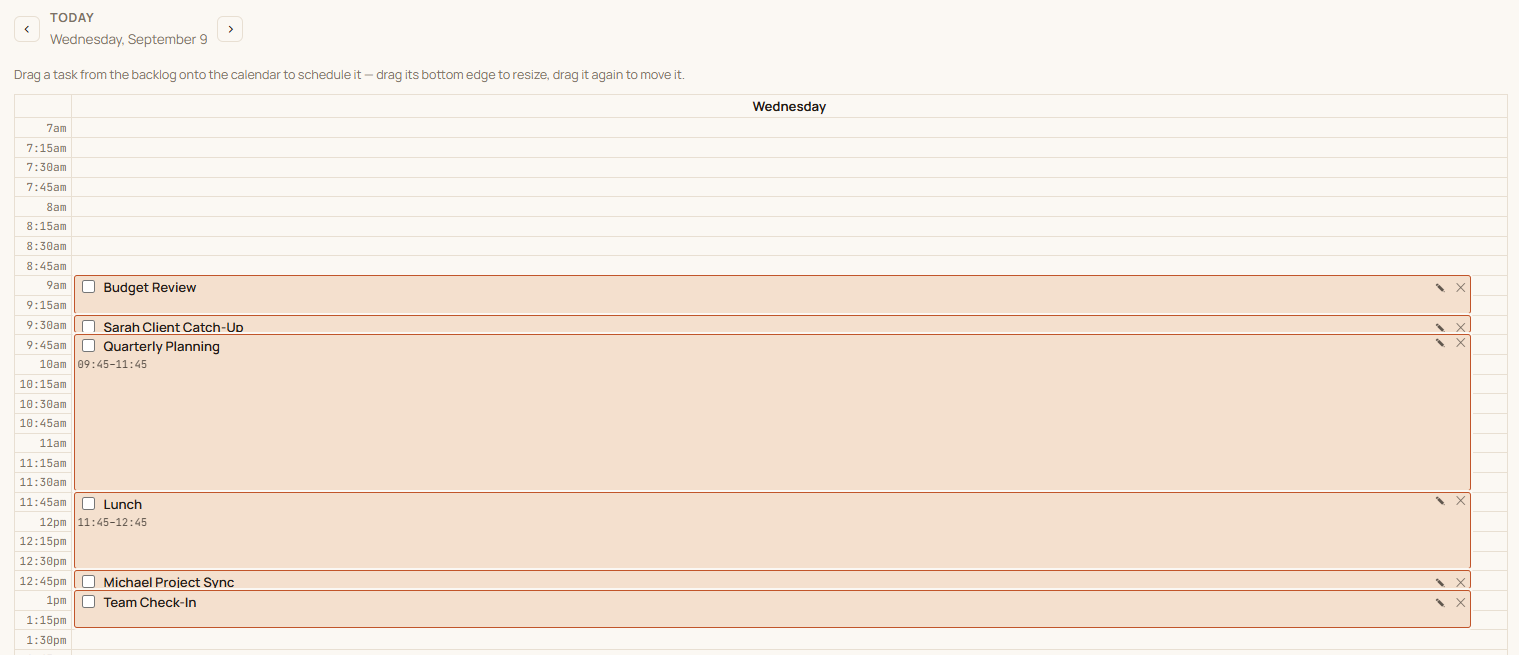
Dayrail's day view showing a backlog panel and a real Google Calendar day filled with scheduled tasks

Two-way sync

An app that actually syncs with Google Calendar — both directions.

Signing in with Google does two things at once: it logs you into Dayrail, and it grants the same one-time consent for calendar access — one screen to approve, not two. From there, every event on your real calendar shows up in Dayrail as a read-only block, and every task you schedule inside Dayrail gets pushed back out as a genuine event on your actual Google Calendar.

That means it's visible to anyone who checks your availability, shows up in your phone's calendar app, and survives even if you stopped using Dayrail tomorrow. Move or resize a task inside Dayrail and the real calendar event updates to match automatically — nothing to re-sync, nothing that only lives in one place.


The backlog

A backlog that's always right there, not a separate list.

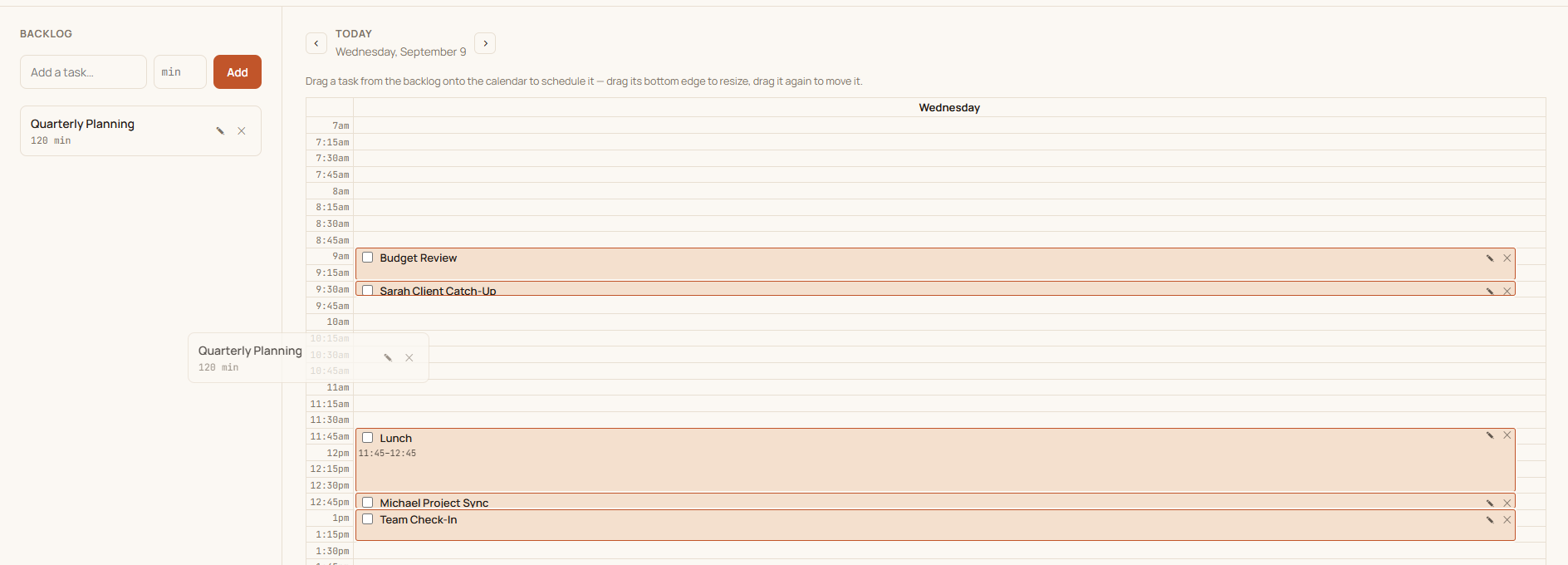
Add a task with a rough duration and it sits in the backlog until you drag it onto a slot — no due dates, no priority levels to fuss over, just a running list of what still needs a home. Click into any task to rename it or change its duration in place, no deleting and re-adding. Nothing about the backlog requires committing to a time up front; that's what dragging it onto the calendar is for.

Dayrail's backlog panel next to the day's scheduled calendar, mid-drag toward an open slot

Morning plan

A five-minute morning ritual, not a new system to maintain.

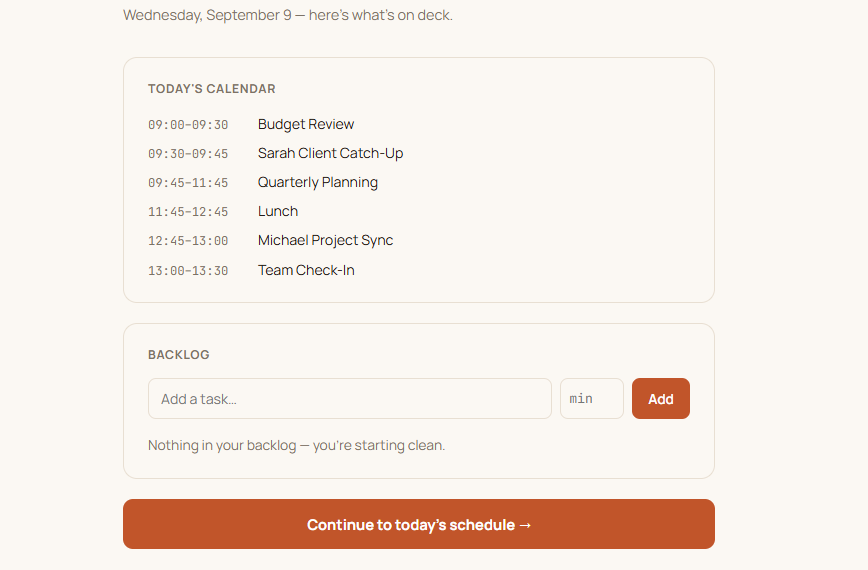
Open Dayrail for the first time each day and it routes you through a short planning screen first: today's real calendar events for context, and your full backlog — including anything that rolled over automatically overnight — before you land on the actual day view. It only shows up once a day; paging back to check yesterday or ahead to tomorrow skips straight past it.

Dayrail's morning plan screen listing today's calendar and the current backlog before continuing to the schedule

Evening review

An honest look at what actually got done.

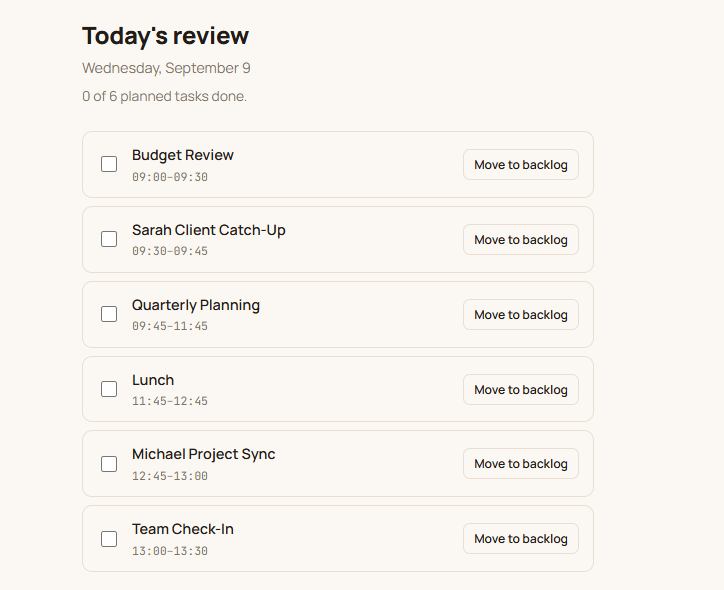
Whenever you're ready to wrap up, the evening review lists everything scheduled for today with a simple checkbox — planned vs. done, at a glance. Anything left unchecked when the day turns over doesn't vanish or need retyping: it's automatically swept back into tomorrow's backlog, waiting exactly where you left it. Or move it back yourself with one tap right from the review screen, if you'd rather reschedule it than wait for the automatic carry-over.

Dayrail's evening review screen listing today's tasks with a move-to-backlog button on each

Try it on your own calendar.

3-day free trial, then $7/month or $70/year. Cancel anytime.

Start your free trial